7 AI Tools That Speed Up Digital Product Creation
Seven AI tools streamline idea-to-launch workflows, cutting content, design, and development time for faster digital product creation.
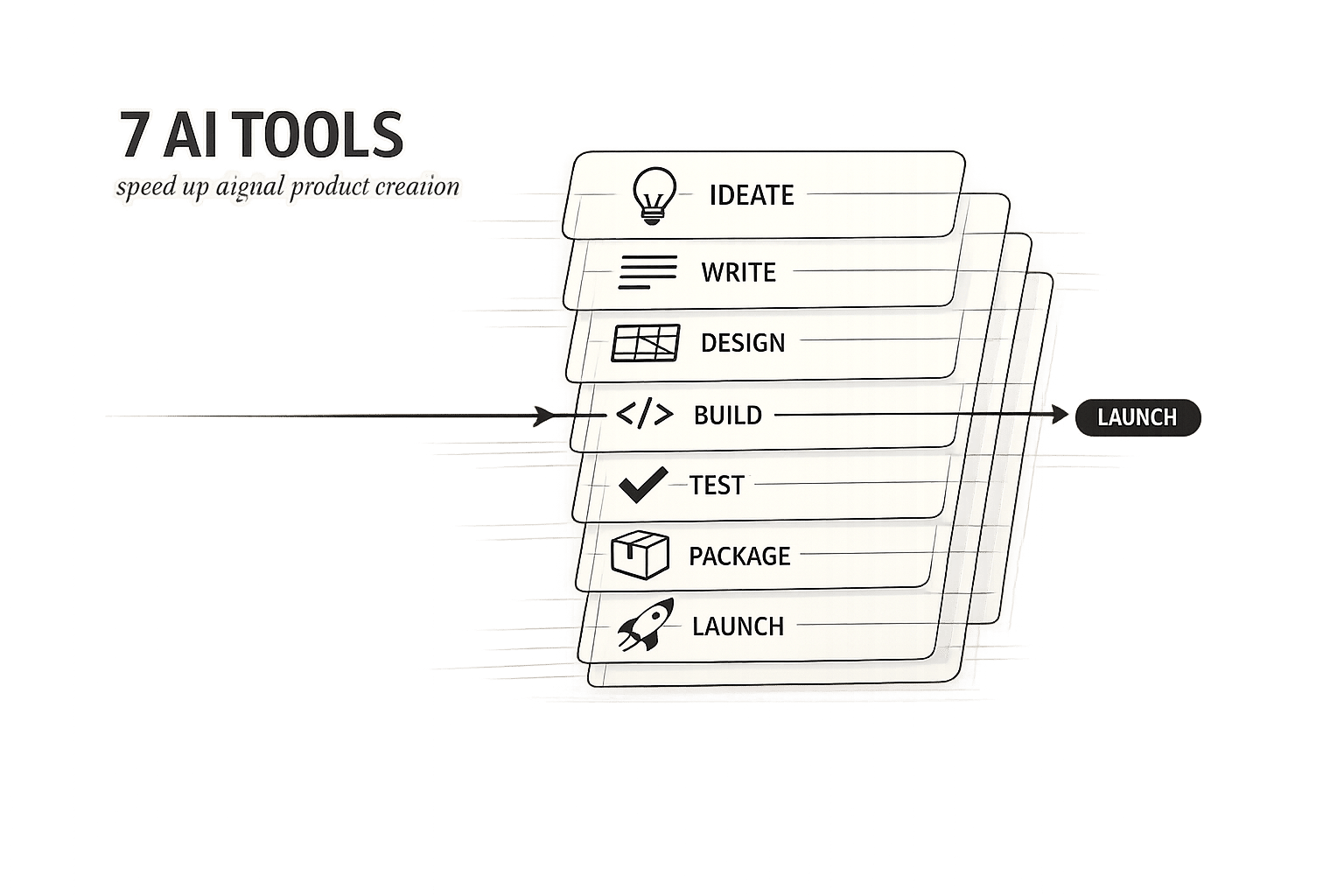
7 AI Tools That Speed Up Digital Product Creation
Creating digital products used to take weeks and cost thousands. Today, AI tools simplify and accelerate this process, tackling challenges like idea generation, content creation, and workflow inefficiencies. Below are seven tools that can save time and improve productivity:
- ChatGPT: Generates content like eBooks, email sequences, and scripts. Role priming and structured prompts improve output quality.
- Midjourney: Creates high-quality visuals like eBook covers and marketing graphics in minutes.
- Canva AI: Produces layered designs, campaigns, and even interactive products like landing pages.
- Notion AI: Automates drafting, task management, and integrates with tools like Slack and Google Drive.
- Descript: Edits videos via text transcripts, offers screen recording, and voice cloning.
- Jasper: Focused on marketing content, it organizes workflows and generates campaign assets.
- myAtlasLab AI Suite: Combines market research, documentation, and Shopify-ready storefront creation in one platform.
These tools address specific bottlenecks and can be mixed and matched to fit your workflow. Whether you're writing content, designing visuals, or launching products, they help save time and effort.
10 AI Tools for Selling a Digital Product in 2026 (no coding needed)
sbb-itb-e9b8513
1. ChatGPT
ChatGPT has become an essential tool for creating digital products, serving as a ghostwriter, strategist, and creative collaborator. Whether you're working on an eBook, an online course, or a sales page, it can handle everything from generating outlines and drafting full chapters to creating email sequences and marketing copy - all within a single conversation window. This streamlined process sets the stage for more advanced prompting techniques discussed later.
For instance, creators can craft 15–20 pages of eBook content in under two hours by breaking the project into chapter-by-chapter prompts. Attempting to produce an entire document in one go often results in shallow or overly generic content. Dividing the work into sections helps maintain depth and gives you greater control over the final product.
Role priming is a game-changer. Before asking ChatGPT to write, define its role clearly - like saying, "Act as a senior email copywriter specializing in digital product launches." This small step greatly improves the tone and relevance of its output. Adding clear parameters, such as word limits, a target reading level (Grade 8–10 works well for most audiences), or banned words, ensures the content stays focused and aligned with your brand. This approach highlights how AI can speed up content creation while maintaining high standards.
"The model accounts for roughly 20% of the final result. The remaining 80% is the quality of the brief - the persona, the structural schema, the SEO requirements, and the purpose." - PromptPrepare
A great example comes from April 2026, when creator Sawan Kumar used ChatGPT to develop a lead-magnet eBook for Dubai real estate agents. In under two hours, he generated 15–20 pages of content. By pairing the AI-generated content with a benefit-driven title, his eBook achieved an impressive 18–22% opt-in rate, compared to just 3% for more generic titles. The AI handled the structure and bulk of the content, while Kumar focused on refining the positioning and polishing the final product.
ChatGPT produces content in various formats, including PDF-ready text, video course scripts, email sequences, and social media posts. For those who frequently create digital products, the Plus plan at $20/month is a worthwhile investment. It offers access to GPT-4, a Canvas drafting mode, and higher usage limits, making it a powerful tool for regular creators.
2. Midjourney
Midjourney is your go-to tool for creating high-resolution visuals, whether it's eBook covers, marketing graphics, or product mockups. Unlike ChatGPT, which focuses on text, Midjourney specializes in imagery. All paid plans come with a commercial license, giving you the freedom to use your creations commercially without restrictions.
The platform has evolved with a web-based interface (midjourney.com) that offers handy features like project folders, a history of your images, and interactive visual sliders. The process is straightforward: write a prompt, generate four variations, pick your favorite, upscale it, and refine it further using tools like "Vary Region", "Pan", or "Zoom Out".
For creators seeking visual consistency, Midjourney has two standout features. The Style Reference (‑‑sref) parameter ensures your brand's color palette and overall aesthetic remain consistent across all images. Meanwhile, the Character Reference (‑‑cref) parameter guarantees that a specific mascot or character looks the same in every design.
Midjourney isn't just about quality; it's also about speed and cost-efficiency. What used to take design studios up to two weeks and cost $200–$600 can now be done in 30–60 minutes with a $30 monthly subscription. The Standard plan includes 15 hours of fast GPU time, allowing you to create around 900–1,000 images, plus unlimited "Relax" mode for less time-sensitive projects. This efficiency makes it a perfect companion for other AI tools, streamlining digital workflows.
"I'd rather spend an hour exploring Midjourney outputs than two days searching stock libraries. The economics of creative exploration have changed." - TechSifted
That said, one drawback is its inconsistent handling of text within images. For longer phrases or precise text, like those needed in infographics or posters, it's better to add the text later using a design tool. Midjourney exports images in .png or .jpg formats, while video clips are available as .mp4 or .gif files.
3. Canva AI Features
If Midjourney delivers a polished final image, Canva AI 2.0 hands you an entire creative studio. Introduced in 2026, Canva AI 2.0 represents a complete redesign of the platform. Instead of manually selecting templates and dragging elements into place, you simply describe your project in plain language, and the tool generates a fully editable, layered design. While Midjourney focuses on delivering finished visuals, Canva AI 2.0 gives you full creative control right from the start.
"Think of it this way: Midjourney gives you a finished painting. Canva AI 2.0 gives you a Photoshop file with every layer named and organized." - Ty Sutherland, Chief Editor, Full Stack Creators
This comparison highlights Canva AI's ability to transform how users approach design.
One of its most impressive features for digital creators is Agentic Orchestration. This tool allows you to generate an entire campaign across multiple formats simultaneously. For example, a single prompt like "create a product launch campaign" can produce social media graphics, email headers, presentation slides, and video thumbnails - all perfectly formatted for their respective platforms. This eliminates the need for manual resizing, saving significant time. The platform's underlying image model, Lucid Origin, performs 5x faster and reduces costs by 30% compared to earlier versions, while the 12V video model is 7x faster and 17x cheaper.
Two standout features enhance this efficiency even further: the Memory Library and Scheduled Tasks. The Memory Library learns your brand's specific colors, fonts, and style preferences over time, producing outputs that align better with your branding as you use it more. Scheduled Tasks, on the other hand, automate repetitive work, such as generating weekly batches of social media content. These tasks run in the background, freeing you up for other priorities. Additionally, Canva Code 2.0 enables users to create interactive products like landing pages, quizzes, and calculators with simple prompts. You can even export raw HTML, CSS, and JS code for external use.
Canva AI 2.0 is designed to accelerate workflows by combining multiple functions into one platform. It supports a wide range of output formats, including JPG, PNG, PDF, PPTX, MP4, and even responsive websites hosted directly on Canva. Pricing options include a Free tier, a Pro plan at $15/month (or $120/year), and a Teams plan at $10/person/month (billed annually), which includes shared brand tools.
4. Notion AI
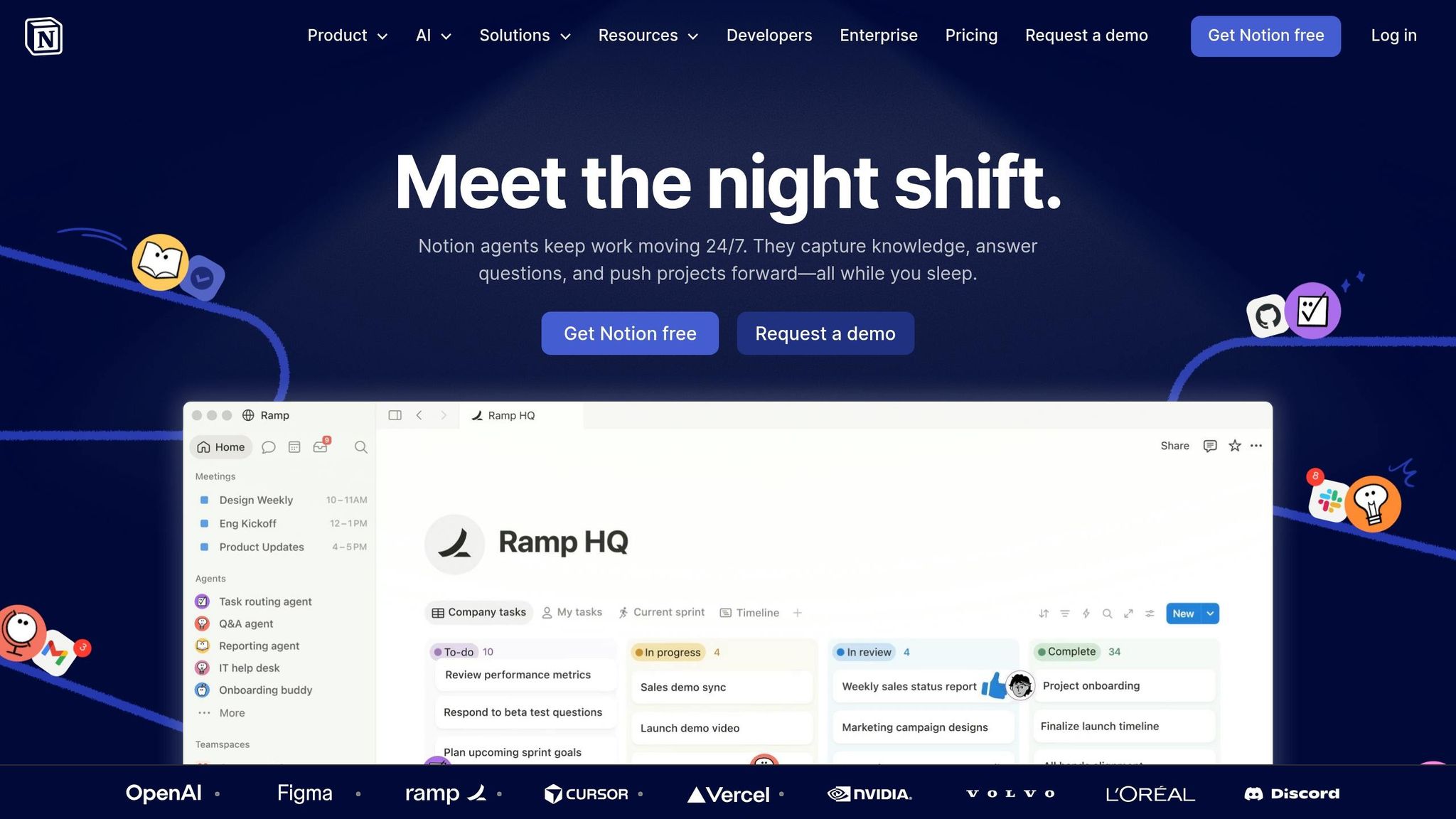
Notion AI blends seamlessly into your workspace, providing AI-powered tools right where you manage your documents, roadmaps, and databases. This integration makes creating and refining documents a smoother process.
One standout feature is its ability to auto-generate drafts. Notion AI can take raw notes and customer feedback and turn them into a structured first draft for documents like Product Requirement Documents (PRDs), initiative briefs, or problem statements. You can even embed AI summary blocks into PRD and RFC templates, ensuring every document includes an automatic summary for stakeholders to review effortlessly.
Custom Agents take automation a step further by handling repetitive tasks. For instance, in February 2026, James Lawley, IT Ops Manager at Remote, replaced a manual triaging system with Notion's Custom Agents. These agents routed incoming requests with over 95% accuracy and resolved over 25% of tickets autonomously, saving his team 20 hours each week. Similarly, Cohere reduced manual updates and saved 7 hours weekly by centralizing product roadmap planning in Notion. Since the feature launched in February 2026, users have created over 1 million Custom Agents.
"Our agents answer dozens of nuanced product and enablement questions every day with a high success rate. Teams that used to monitor those channels now just audit responses and feed improvements back into the Custom Agent." - Ben Levick, Lead of Ops and Internal AI, Ramp
Notion AI also serves as a powerful search tool. It can retrieve information not just from Notion pages but also from Slack threads, Google Drive, and Gmail. On the Business plan, users can choose between AI models like GPT-5.2, Claude Opus 4.5, or Gemini 3 for specific tasks, or let Notion select the best option automatically. Pricing starts at $10 per user per month as an add-on for the Plus plan or is included in the Business plan at $20 per user per month.
With these tools, Notion AI simplifies planning, enhances communication, and sets the stage for greater automation across teams.
5. Descript
Descript is a game-changer for video editing, especially if you're creating tutorials, product demos, or educational content. It flips traditional editing on its head by letting you edit videos through a text transcript. Want to remove a sentence? Just delete it from the transcript, and the audio and video adjust automatically. It’s like editing a Google Doc, but your end result is a polished video.
This approach cuts editing time by up to 75% compared to older methods, and many users have reported doubling their content production thanks to the efficiency boost. Donna B., a verified reviewer on G2, shared her experience:
"With Descript I'll be able to at least double my content output since editing is taking one-quarter the time it used to."
Descript also features an AI-powered co-editor called Underlord, which handles repetitive tasks like generating B-roll from text prompts and applying layouts automatically. Its Studio Sound feature enhances audio quality, making recordings sound professional even if they were noisy to begin with. Another standout tool, Eye Contact, digitally adjusts the speaker’s gaze so it appears they’re looking directly at the camera, even when reading from a script.
For creators working on digital products, Descript offers tools like screen recording and the Regenerate feature. Need to update a demo video? Just type in the new line - Descript will clone your voice and sync the audio seamlessly, no re-recording required. You can also break down long webinars into short, platform-specific clips using the Create Clips feature.
The platform supports exports in 720p, 1080p, and 4K, with options for direct publishing to YouTube and Wistia or generating embed codes for websites. It has earned a 4.6/5-star rating on G2 and was recognized as "Best Software" in 2026 for its video editing, AI video generation, and text-to-speech capabilities. Pricing starts with a free plan, while the Creator plan, at $24/month (billed annually), includes 4K exports, full access to Underlord, and 30 media hours per month.
Next, we’ll dive into how Jasper takes content creation to the next level with AI-driven writing.
6. Jasper
Jasper isn’t just another chatbot - it’s an AI writing platform tailored specifically for marketing and content workflows. Unlike tools that simply generate text, Jasper organizes the entire content creation process into a structured five-stage pipeline: Plan, Create, Adapt, Activate, Optimize. This systematic approach ensures that content is not only generated but also aligned with your goals and strategies.
One standout feature is Jasper IQ, a shared knowledge hub where you can store essential details like your brand voice, style guides, audience personas, and product specifications. This means every piece of content Jasper generates is informed by these guidelines, saving you from having to re-enter the same information for each project. Add to that over 100 specialized AI agents - designed for tasks like landing pages, SEO blogs, product descriptions, and email sequences - and you’ve got a tool that can handle a wide range of content needs without starting from scratch. This setup helps creators maintain brand consistency while speeding up their workflows.
Jasper’s capabilities have delivered impressive results for major brands. For instance, Adidas used Jasper to create 7,500 product descriptions in just 24 hours. iHeartMedia reduced a multi-platform campaign launch from several weeks to just one day with Jasper’s campaign tools. And Bloomreach boosted blog output by 113% while increasing traffic to those posts by 40%. These success stories highlight how Jasper Grid, which generates hundreds of assets from a single spreadsheet, can revolutionize content pipelines.
"Jasper has the potential to fundamentally transform the way marketing teams operate by boosting efficiency, accelerating execution, and delivering high-quality campaigns faster." - Bryan Olshock, Chief Marketing Officer
While Jasper excels at creating content, long-form pieces typically require 30–40% human editing before they’re ready for publication. Pricing reflects the platform’s premium nature, with the Creator plan starting at $39 per user per month. For those needing advanced features like Campaigns, which can generate a full suite of assets (emails, ads, social posts, and blog outlines) from a single brief, the Pro plan costs $59 per user per month. For teams managing large-scale digital content, this efficiency can make Jasper a worthwhile investment.
7. myAtlasLab AI Suite
myAtlasLab AI Suite simplifies the entire creation process - from brainstorming ideas to running a live, revenue-generating storefront. Instead of juggling multiple tools for planning, building, and launching, this suite consolidates everything into one streamlined platform. Here’s a breakdown of its standout features that make digital product creation faster and easier.
At the core of the suite is the PO Agent, an autonomous Product Owner that transforms plain-language product ideas into detailed engineering blueprints. It handles market research, competitor analysis, and SWOT assessments, producing professional-grade documentation like BRDs, PRDs, FRDs, and SRS files in just minutes. This feature is a game-changer for solo creators and small teams, cutting down one of the most time-intensive stages of development. Plus, with a single click, you can export everything to Jira and Confluence for seamless integration into your workflow.
The AI Store Builder is a must-have for e-commerce creators. All you need to do is paste a product link, and within two minutes, it generates a fully functional, conversion-ready Shopify store - complete with layouts, copy, and images. This tool slashes store-building time by over 40 hours and has already facilitated over $250 million in lifetime sales. It’s also 15 times faster at creating product pages compared to traditional methods. Trusted by more than 10,000 Shopify stores, the app boasts a solid 4.7/5 rating from 412 reviews.
"Atlas streamlined what used to be a time-consuming process of building product pages, making it much faster to launch and test new products." - Atlas AI Case Study
Another standout feature is AI-generated product photography, which drastically reduces costs. While professional photoshoots can cost $25–$150 per image, myAtlasLab delivers high-quality images for as little as $0.01 to $0.054 each. Need a large batch? The suite can handle 1,000 images in under an hour.
The pricing is flexible, catering to different needs. The Atlas Base Plan for Shopify starts at $39/month, the Genesis plan begins at $99/month (or $149/month for the Pro version with extra features), and Atlabs plans range from $15 to $189/month for advanced video functionalities.
Tool Comparison Table
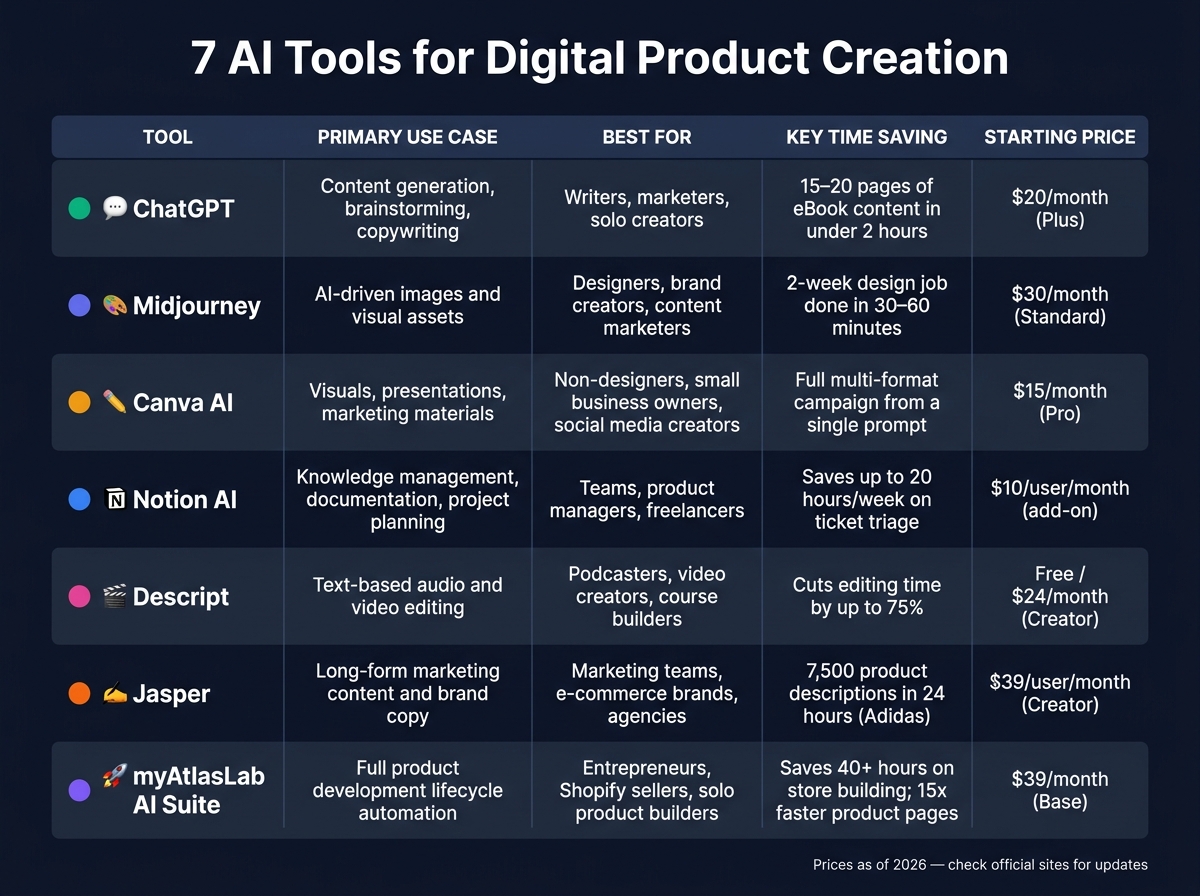
7 Best AI Tools for Digital Product Creation: Features & Pricing Compared
Here's a breakdown of tools, their main uses, target users, time-saving benefits, and typical output formats:
| Tool | Primary Use Case | Best For | Key Time Savings | Typical Output Format |
|---|---|---|---|---|
| ChatGPT | Generating content, brainstorming ideas, and writing copy | Writers, marketers, solo creators | Speeds up drafting and idea generation | Text documents, scripts, outlines, emails |
| Midjourney | Creating AI-driven images and visual assets | Designers, brand creators, content marketers | Turns lengthy design processes into quick prompts | High-resolution images (PNG/JPG) |
| Canva AI Features | Designing visuals, presentations, and marketing materials | Non-designers, small business owners, social media creators | Simplifies layout and design tasks | Presentations, social graphics, PDFs, print-ready files |
| Notion AI | Managing knowledge, documentation, and project planning | Teams, product managers, freelancers | Reduces time spent on note-taking and summarizing | Wikis, project docs, meeting notes, task lists |
| Descript | Editing audio and video using text-based workflows | Podcasters, video creators, course builders | Makes editing faster and easier | MP4, MP3, transcripts, captions |
| Jasper | Producing long-form marketing content and brand copy | Marketing teams, e-commerce brands, agencies | Speeds up campaign content creation | Blog posts, ad copy, product descriptions, landing pages |
| myAtlasLab AI Suite | Automating the product development lifecycle, including market research and documentation | Entrepreneurs, Shopify sellers, solo product builders | Combines multiple product creation stages into one tool | Enterprise documents (BRDs, PRDs, SRS) and Shopify landing pages |
Each tool shines in its own area, helping solve distinct challenges in digital product creation. For instance, while tools like ChatGPT and Jasper focus on copywriting, their strengths lie in different contexts - ChatGPT is great for ideation, while Jasper excels at campaign-driven content. Similarly, Canva AI is ideal for polished visuals, but Midjourney stands out for its concept-driven imagery.
The myAtlasLab AI Suite stands apart by covering the entire product development lifecycle, reducing the need for multiple tools. By recognizing these differences, you can mix and match tools to optimize your workflow and save time in digital product development.
Wrapping Up
The tools discussed here tackle some of the biggest challenges in digital product creation. From speeding up copywriting with ChatGPT to crafting visuals with Midjourney or organizing documentation with Notion AI, these tools help cut down production time so you can dedicate more energy to creative strategy.
That said, no single tool solves every problem. The smart move is to identify your biggest roadblock first, then bring in additional tools as your needs grow.
By addressing common obstacles like idea generation, production, and fragmented workflows, these tools reshape how we approach efficiency in digital product creation.
As Michael Tremblay, Founder of Kupkaike, puts it:
"The creators who are winning with AI in 2026 are the ones who use these tools to execute faster on ideas they've already validated, not the ones hoping AI will tell them what to build."
For a seamless digital product development experience, the myAtlasLab AI Suite offers a unified solution. It covers everything from market research and documentation to creating Shopify-ready landing pages - all within one integrated platform.
FAQs
Which AI tool should I start with first?
When choosing the right tool, it all comes down to your main objective:
- ProductOS: Perfect for end-to-end creation, this tool handles research, design, and coding automatically.
- UXMagic: Ideal for UI design, it delivers Figma-ready designs and code.
- Figma Make: Best for building interactive prototypes directly within Figma.
- Prodmill: Tailored for monetizing content like courses, it provides a comprehensive workspace for planning and strategy.
Each tool is designed to excel in its specific area, so pick the one that aligns with your goals.
How do I keep AI-generated content on-brand?
To make sure AI-generated content fits perfectly with your brand's identity, start by creating a style guide. This guide should outline your brand's voice, preferred vocabulary, and a clear list of words or phrases to avoid (e.g., skipping terms like "revolutionary" if they don’t match your tone).
Once your style guide is ready, integrate these rules into structured prompt templates. These templates should include specific details like the desired role (e.g., expert, storyteller), tone (e.g., friendly, professional), and formatting instructions. To make things even clearer, provide examples of what ideal content looks like, along with anti-examples to show what doesn’t meet your standards.
Finally, to maintain consistency, use a mix of human reviews and automated tools. These can help ensure the tone, vocabulary, and overall style align with your brand before anything goes live.
Can I legally sell what these AI tools create?
Yes, you can usually sell digital products made with these AI tools. These tools are built to generate high-quality, ready-to-use assets such as UX designs, website code, and marketing materials. That said, it's crucial to carefully review, edit, and verify the output to ensure it aligns with your quality expectations and complies with legal standards before offering it commercially.